The Bookeasy Support Portal allows you to log in and view support tickets submitted to Bookeasy Support by your company.
From the portal, you can view current and previous support requests, check the status of tickets, and review communication with the Bookeasy Support team.
Before you can access your company's tickets, Bookeasy Support or your Account Manager will need to set you up as an authorised contact in the Support Portal.
Getting Access to the Support Portal
Once your access has been set up, you will receive an email from:
- support@bookeasy.freshdesk.com
The email will advise that a new Bookeasy Support account has been created for you.
A member of the Bookeasy Support team will also assist with creating a temporary password for your account.
You will use your registered email address and this temporary password to log in for the first time.
Logging In
1. Navigate to the Bookeasy Support Portal on https://help.bookeasy.com/support/home
2. Click Login in the top-right corner of the page.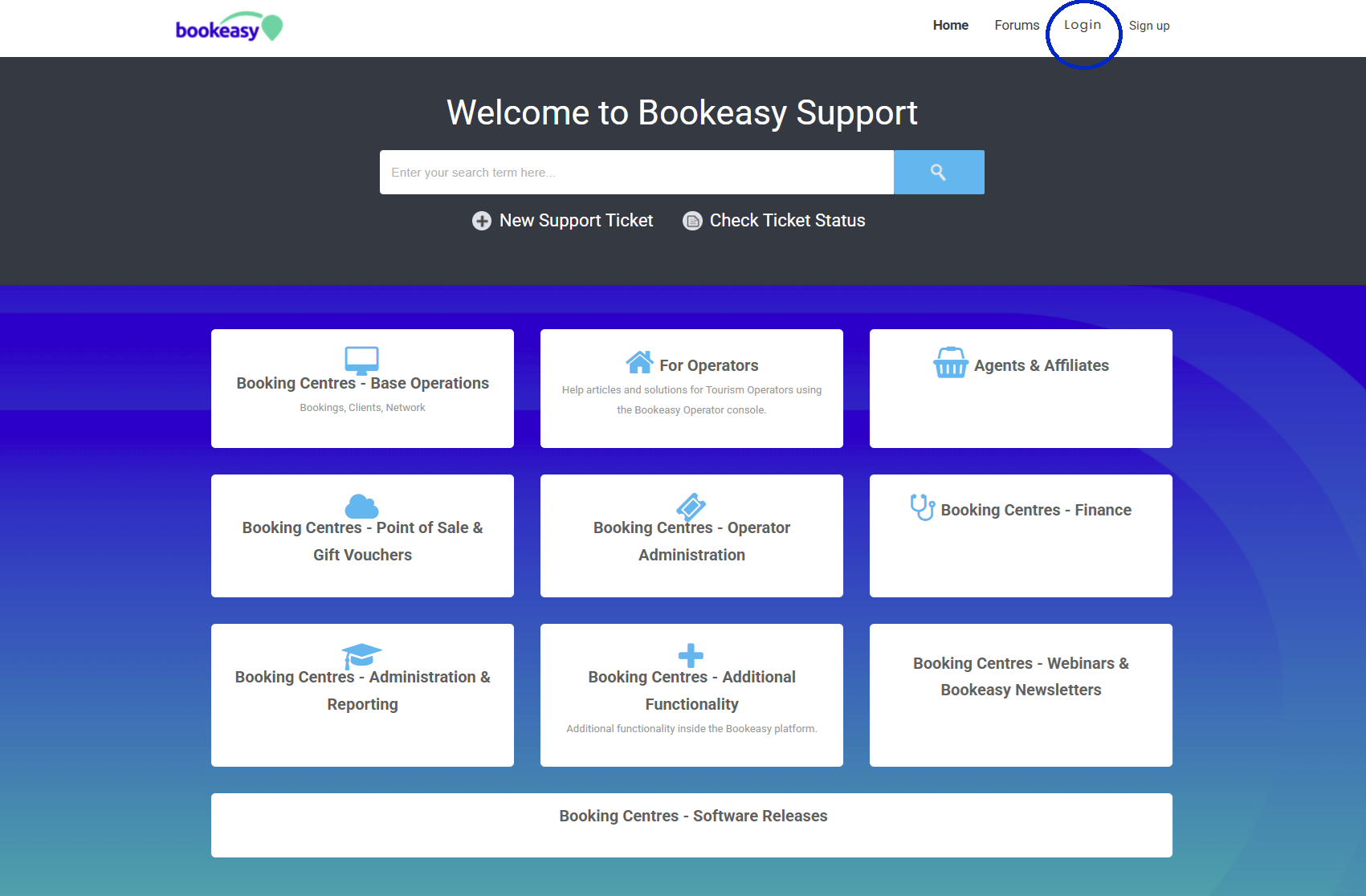
3. Enter your registered email address.
4. Enter the temporary password provided by Bookeasy Support.
5. Click Login.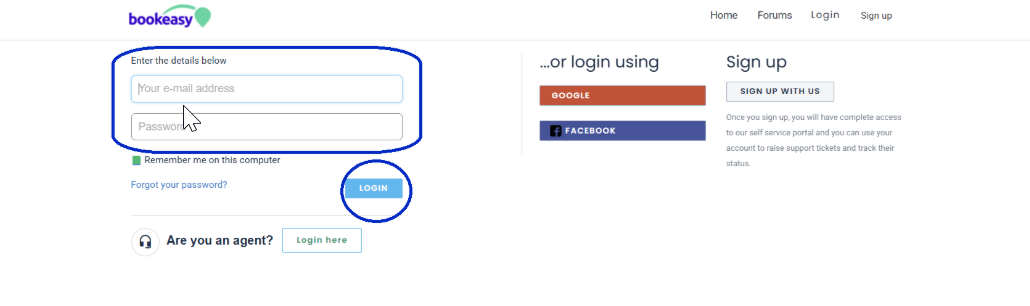
Changing Your Temporary Password
Once you have successfully logged in, we recommend changing your temporary password.
1. Click Edit Profile.
2. Locate the Change Password section on the right-hand side of the page.
3. Click Change Password.
4. Enter and confirm your new password as prompted.
5. Click Save Changes.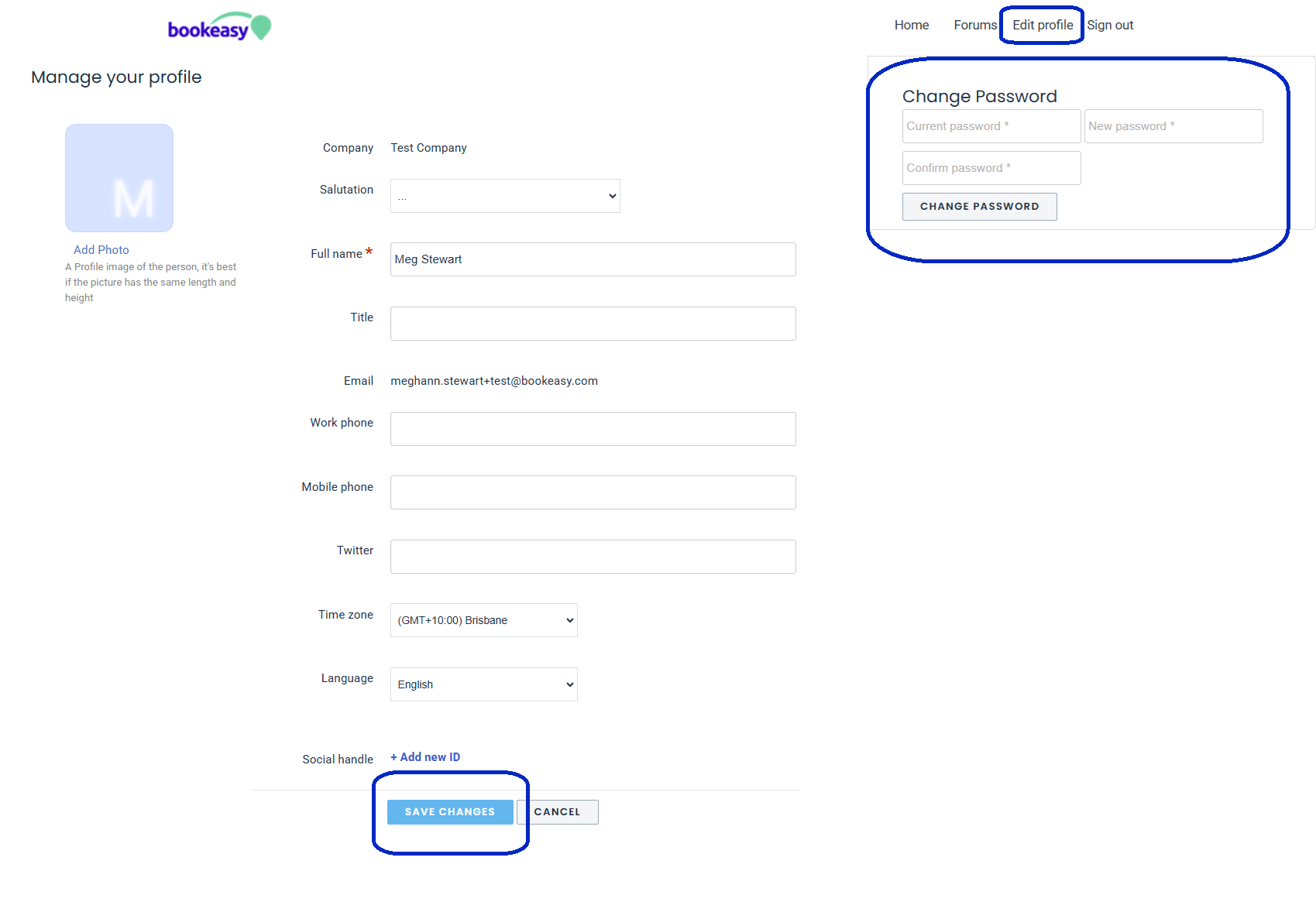
Your new password will now be used whenever you log in to the Bookeasy Support Portal.
Viewing Your Company's Support Tickets
Once logged in:
1. Click Check Ticket Status at the top of the page.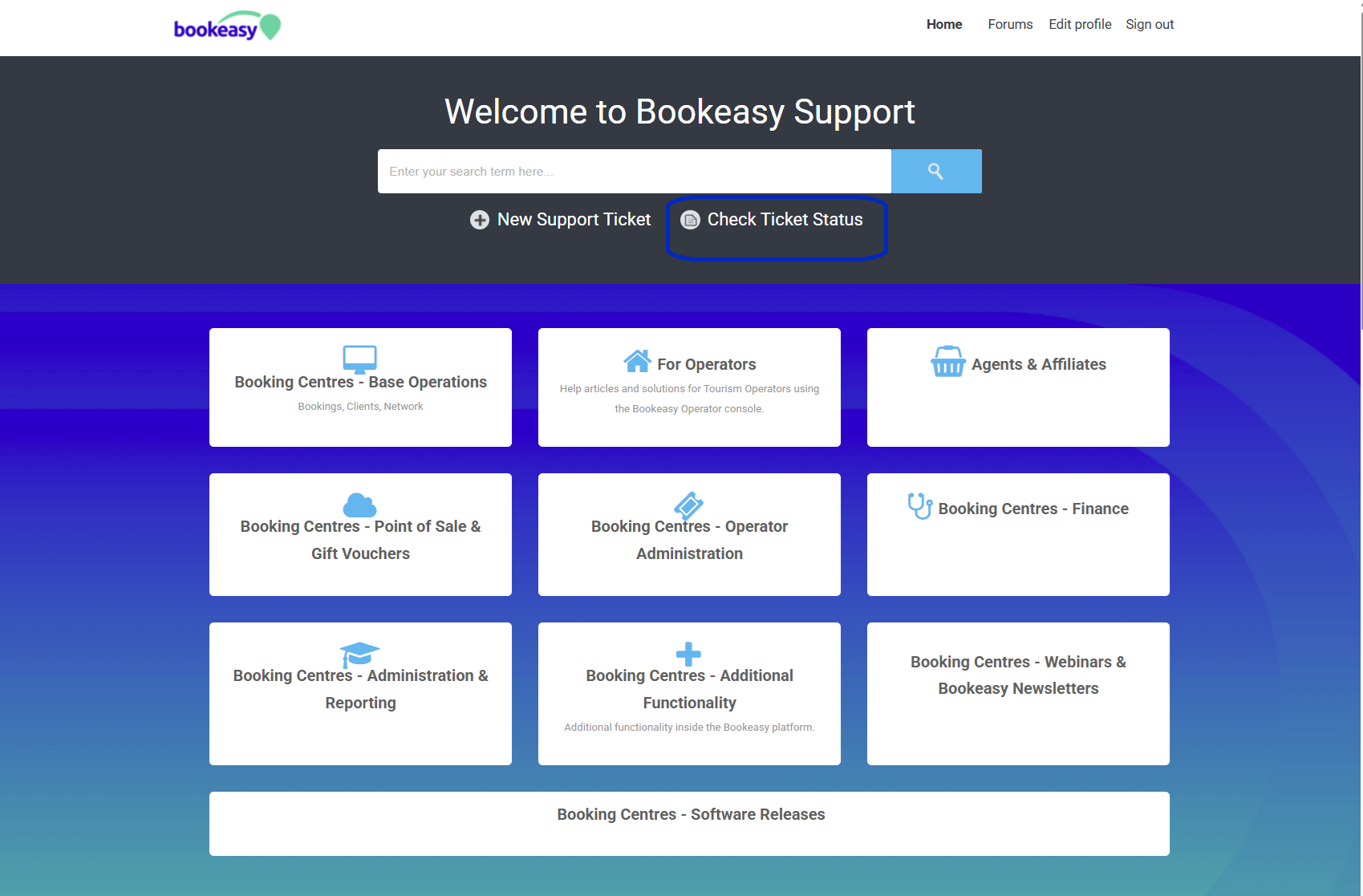
2. The Tickets screen may initially display tickets with an Open or Pending status.
3. Click the Open or Pending heading/filter.
4. Change the selection to All Tickets.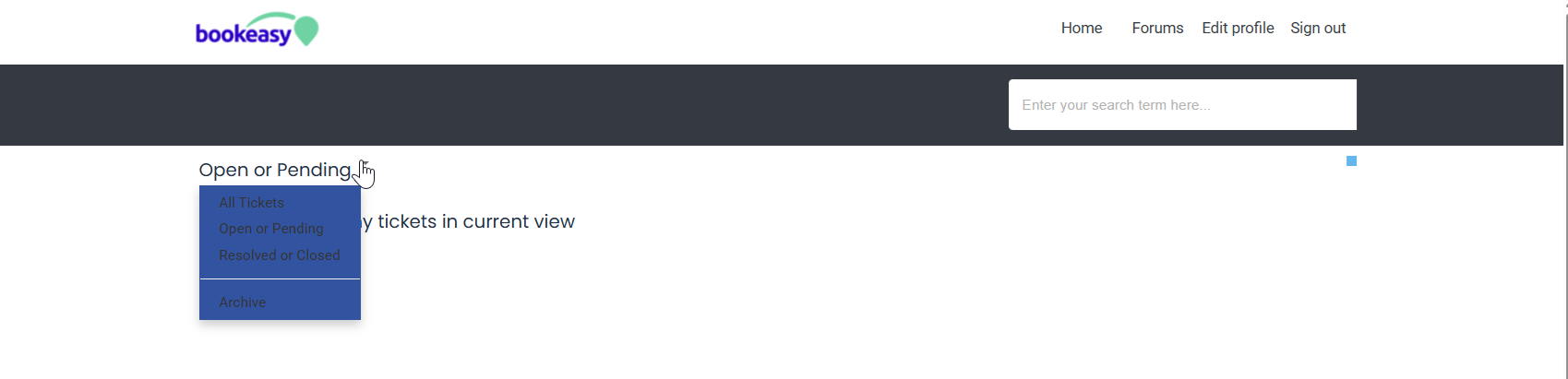
You will now be able to view all available support tickets associated with your company, including both current and previously resolved requests.
Click on an individual ticket to view its details, status and communication with the Bookeasy Support team.
Need Help?
If you are unable to log in, cannot see your company's tickets, or another member of your team requires access, please contact Bookeasy Support.
Our team can check your Support Portal access and assist with getting you set up.