This guide explains how to view your accommodation availability within your Bookeasy Operator Console.
Once your Channel Manager mapping has been completed for each room type, your rates and availability will automatically be pushed through to Bookeasy from your connected Channel Manager.
Important: Channel Manager Connections
All Group Operator listings will be connected to a Channel Manager, which will manage your room rates and availability.
Please do not manually adjust availability within your Bookeasy Operator Console. All availability updates must be made directly through your Channel Manager to ensure your inventory remains accurate and synchronised across your booking channels.
The instructions below are provided for reference only and will guide you through viewing your room availability within Bookeasy.
Viewing Room Availability
1. From your Operator Console, open the left-hand navigation menu (three horizontal lines in the top-left corner).
2. Navigate to Inventory > Availability.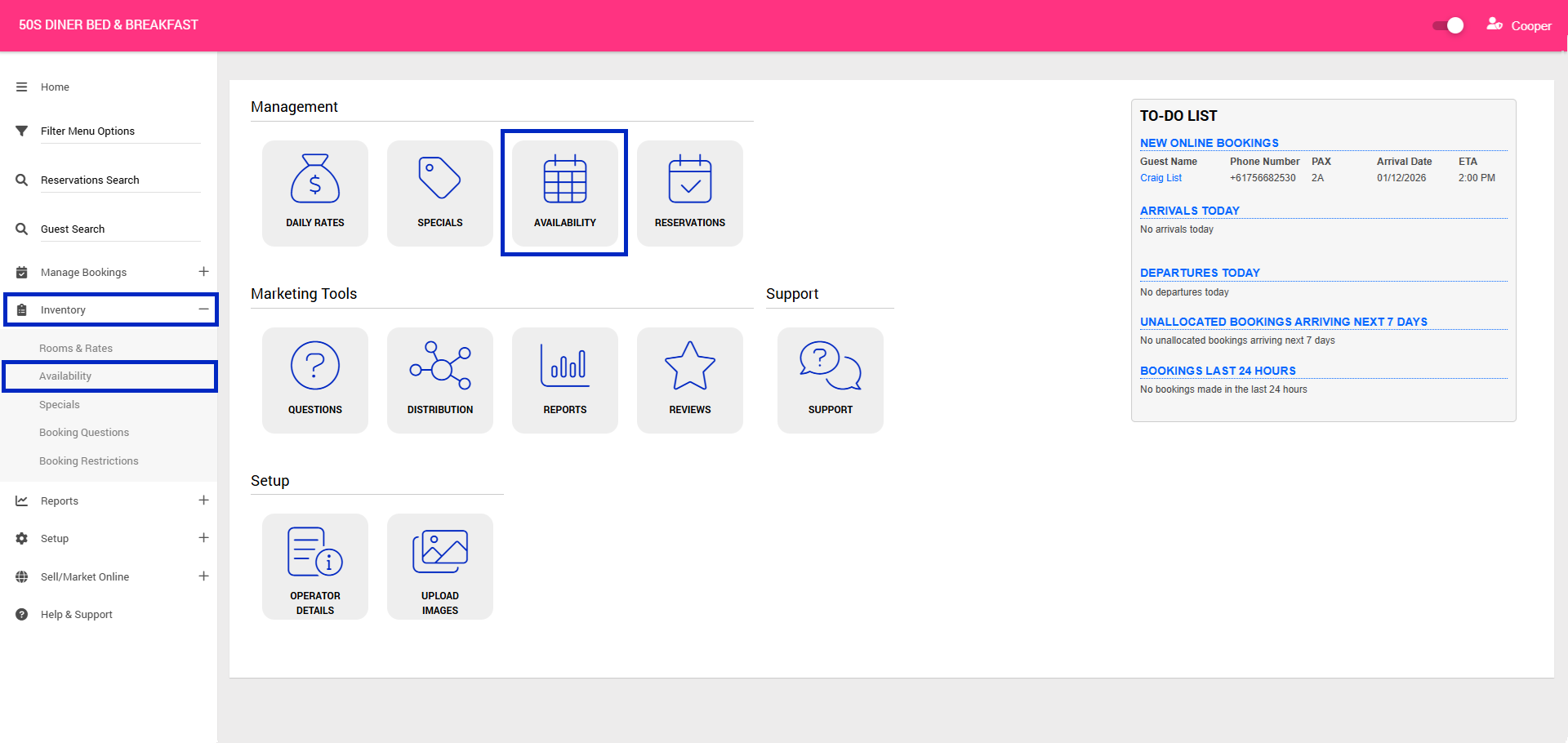
3. The Accommodation Availability Calendar will be displayed, allowing you to view the availability for each of your room types.
Important: This page is for viewing purposes only. Do not make any changes to your availability within Bookeasy. If you notice any discrepancies or need to update your availability, please make these changes directly through your connected Channel Manager.