This guide explains how to set up and manage modification policies in your operator console, including modification timeframes, applicable fees and conditions. These policies are particularly important for bookings made through the Book Australia Marketplace, helping ensure booking changes are managed consistently and in accordance with your business's terms and conditions.
Modification policies are used within Bookeasy's booking management processes to determine whether changes to existing reservations are permitted and whether any modification fees apply. They also support the Client Self Service Portal, allowing guests to view their booking conditions and, where enabled, manage modifications to their bookings online.
Important: We recommend contacting your Onboarding Consultant before creating or updating your modification policies. Your onboarding consultant can assist with configuring these settings correctly to ensure they align with your business requirements and are applied as intended.
Setting up a Modification Policy
1. Navigate to the left-hand menu (3 lines in the top left hand corner)
2. Click Setup > Modification Policies
3. Click Add New Policy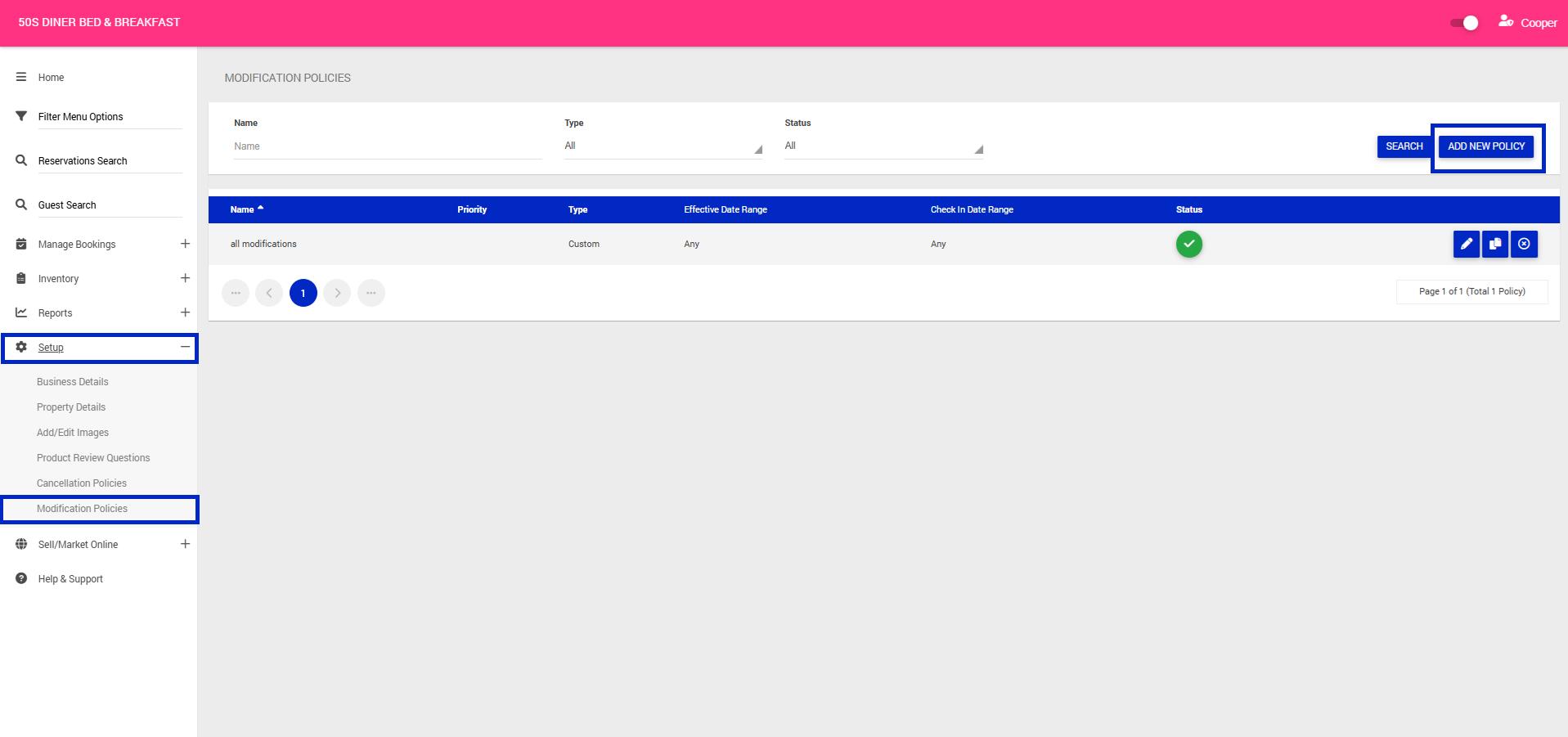
4. Set your policy to Active
5. Give your Modification policy a name and set a priority (only required if setting up multiple policies) > Click Next
Note: If a booking has more than one rule applying to its stay, the higher priority rule will be used (1- Highest Priority, 10- Lowest).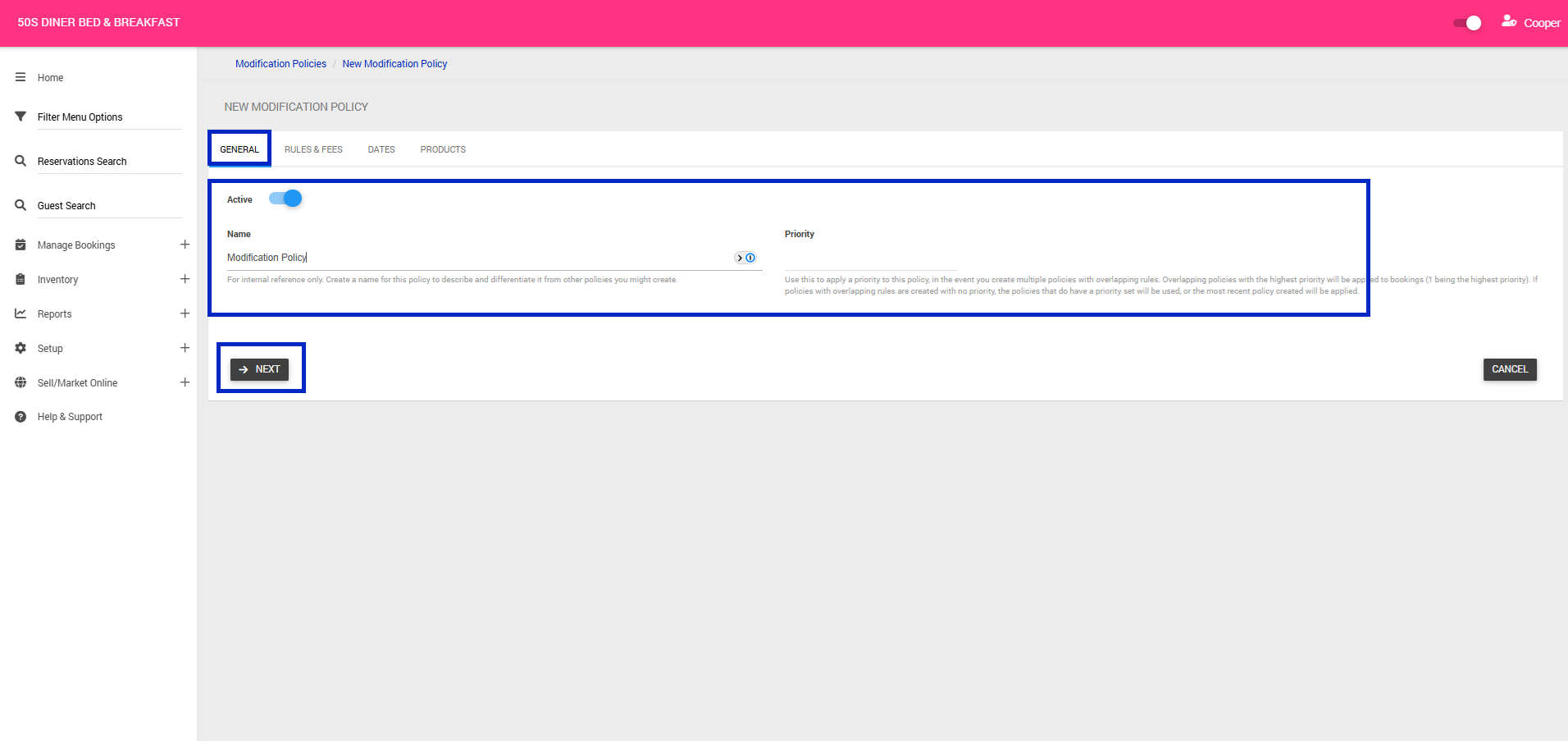
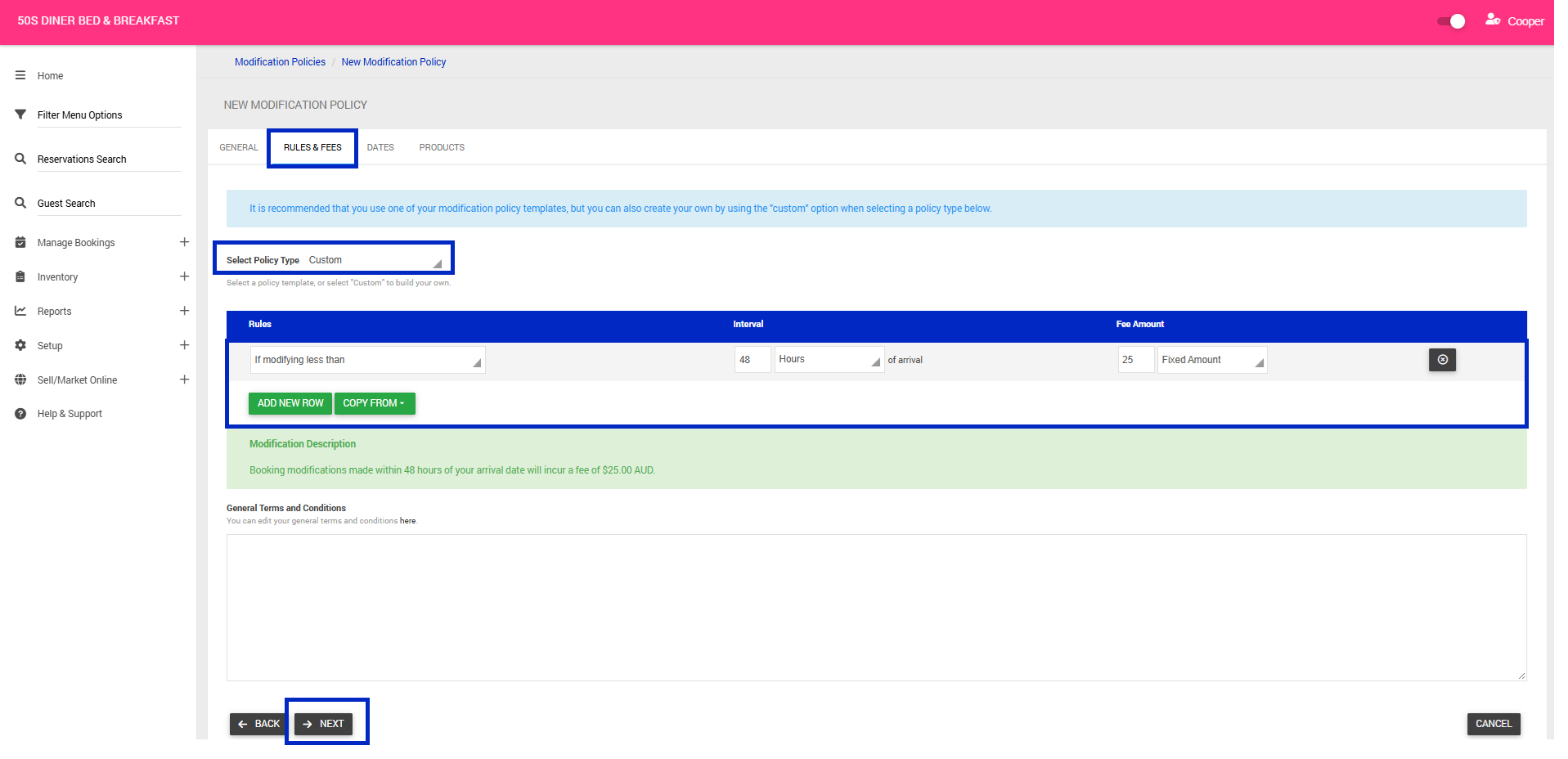
6. Rules & Fees Tab > Select a Policy Type from the Drop Down:
Note: Templated policies, rules and fees cannot be edited.
- No Cancellations: Booking modifications are not permitted.
- Very Strict: Free modifications when made greater than 60 days of your arrival date. Booking modifications made within 60 days of your arrival date will incur a $25 fee.
- Strict: Free modifications when made greater than 30 days of your arrival date. Booking modifications made within 30 days of your arrival date will incur a $25 fee.
- Moderate: Free modifications when made greater than 7 days of your arrival date. Booking modifications made within 7 days of your arrival date will incur a $25 fee.
- Flexible: Free modifications when made greater than 48 hours of your arrival date. Booking modifications made within 48 hours of your arrival date will incur a $25 fee.
- Last Minute: Free modifications when made greater than 24 hours of your arrival date.Booking modifications made within 24 hours of your arrival date will incur a $25 fee.
- Custom: Allows you to create your own cancellation fee structure with custom timeframes and refund percentages/ amounts
7. Click Next
8. Dates Tab > Should you wish for your policy to only be valid for particular dates, complete the following;
- Effective Date Ranges - Apply policies only during specific booking periods
- Check In Date Ranges - Apply policies only for specific travel dates
9. Click Next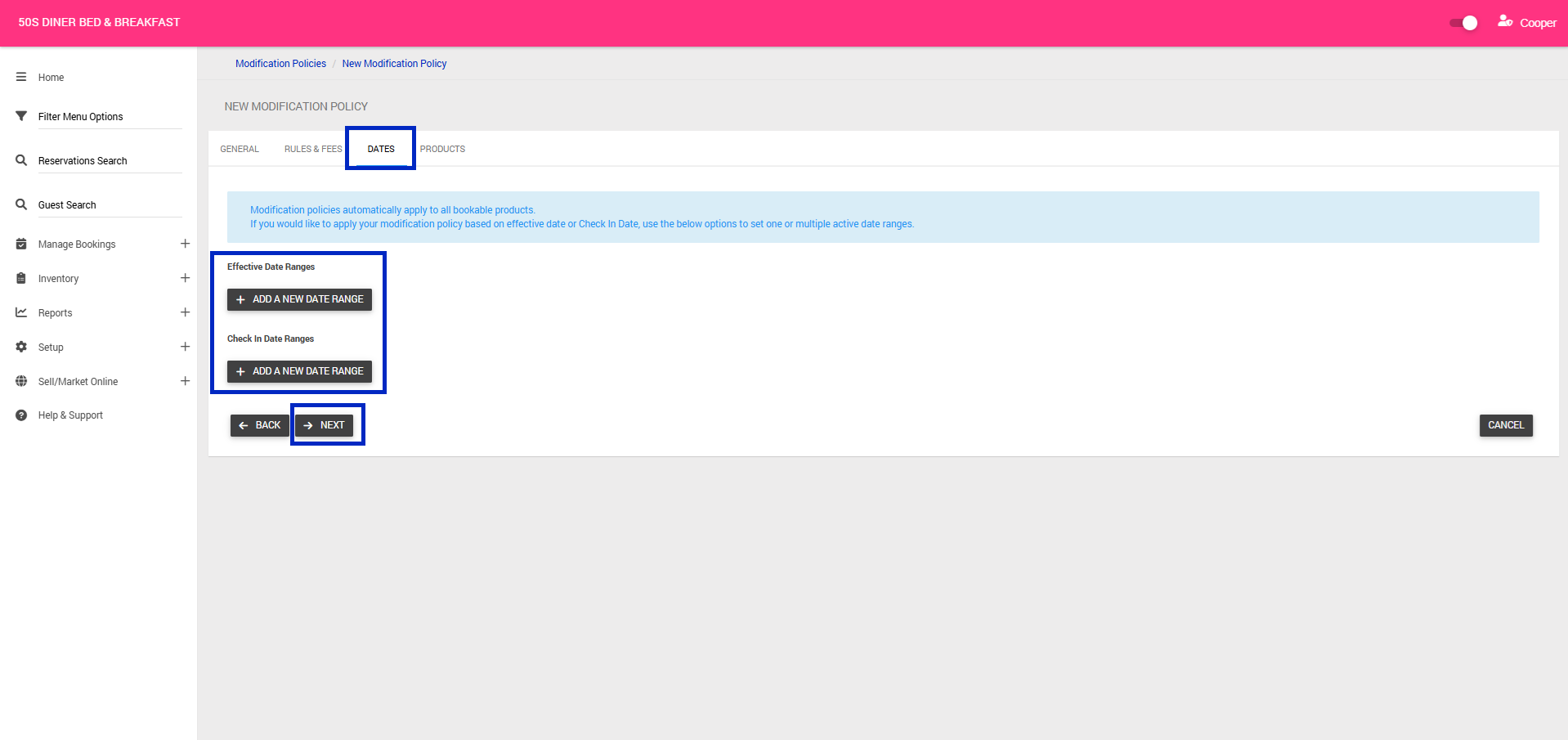
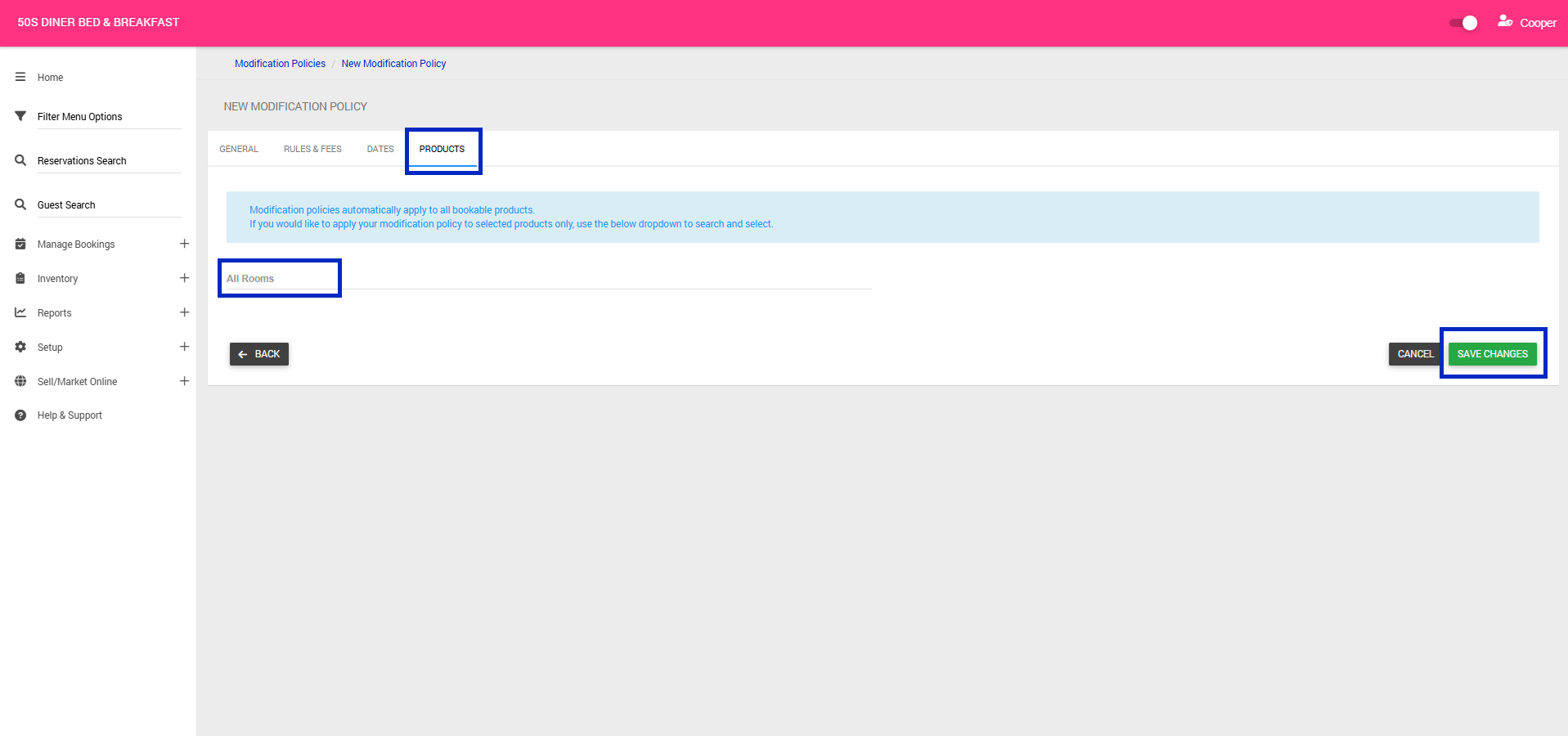
10. Products Tab > Modification automatically applies to all bookable products (rooms). If you would like to apply your modification policy to selected products only, use the below dropdown to search and select.
11. Click Save Changes