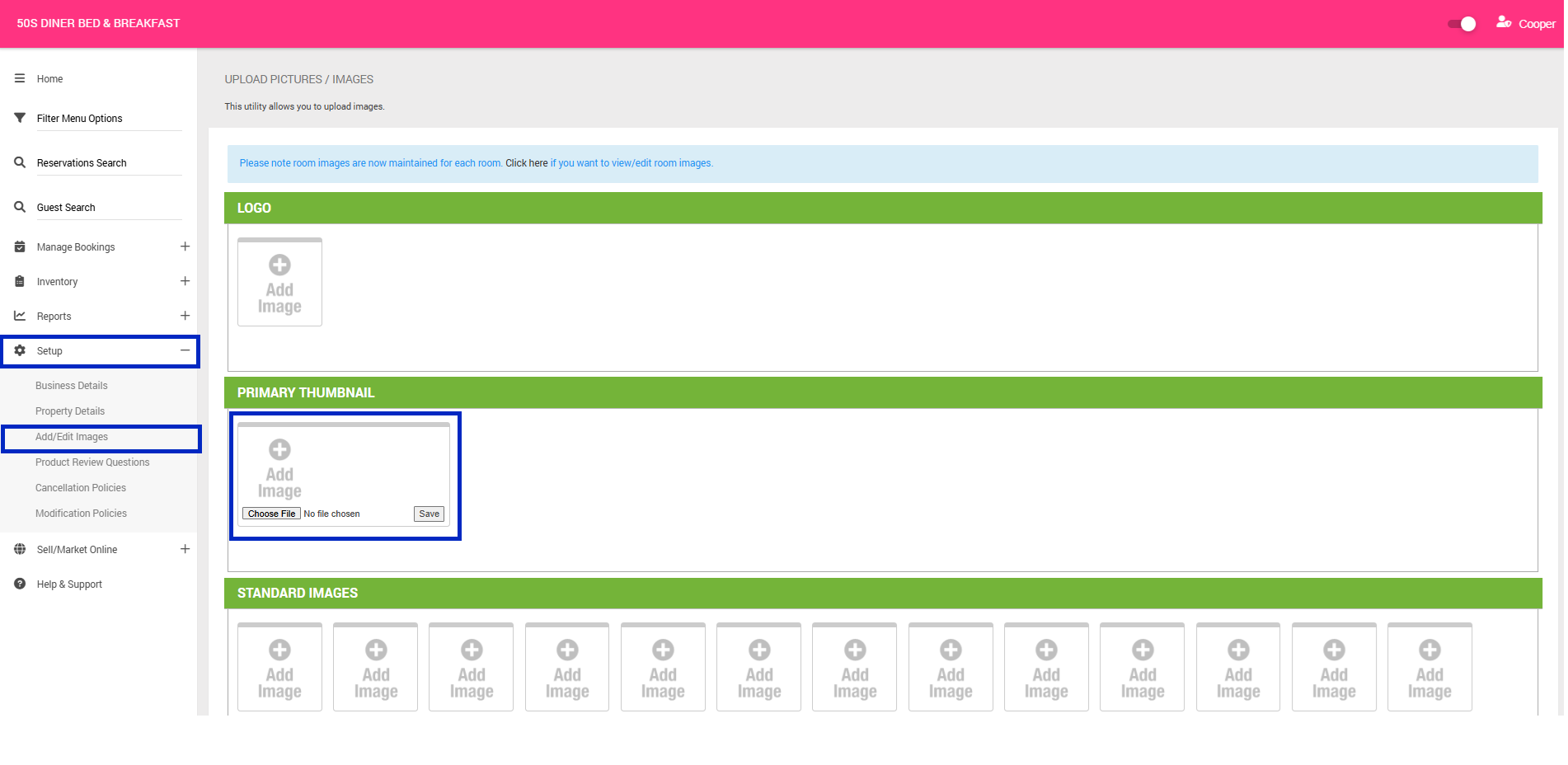
This guide explains how to upload and manage images for your property listing. Property images are primarily used to showcase your accommodation on the Marketplace. Keeping your images high-quality and up to date helps your property stand out and attract more bookings.
Standard Property Images
Property images are the hero images that showcase your property to prospective customers on the Marketplace. Put your best photo forward by choosing high-quality, appealing images that highlight your property's best features and encourage customers to book.
For best results, ensure your images meet the following requirements:
- Minimum images: At least 5 images must be uploaded.
- File format: JPEG
- Orientation: Landscape
- Recommended dimensions: 800 × 600 pixels
- Resolution: At least 72 dpi
To Add Property Details
- Navigate to the menu on the top left hand corner
- Click Setup > Add/ Edit Property
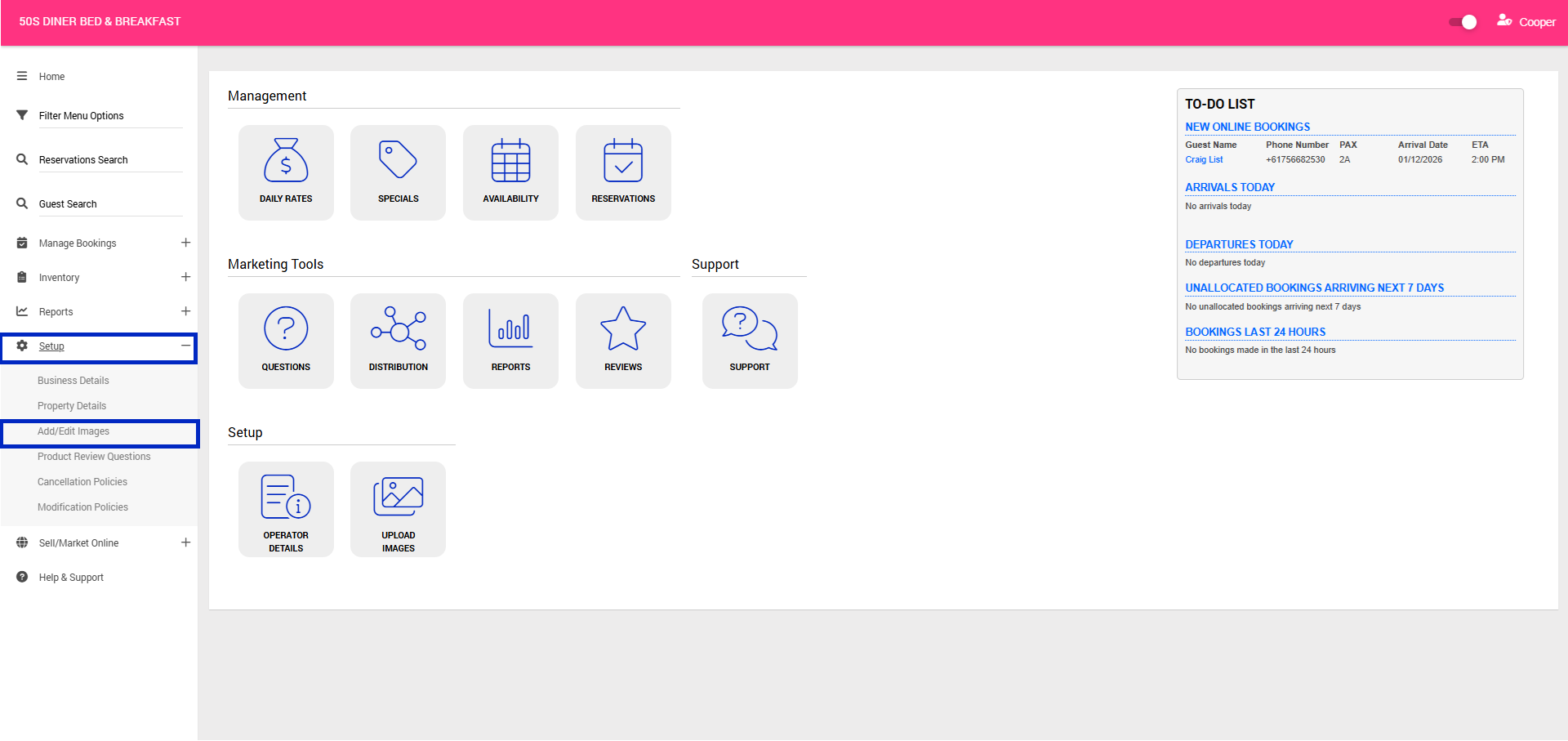
- Scroll to Standard Images section > Click + Add Image
- A prompt will appear on your screen. Click Choose File > Select image from your computer
- Click Save
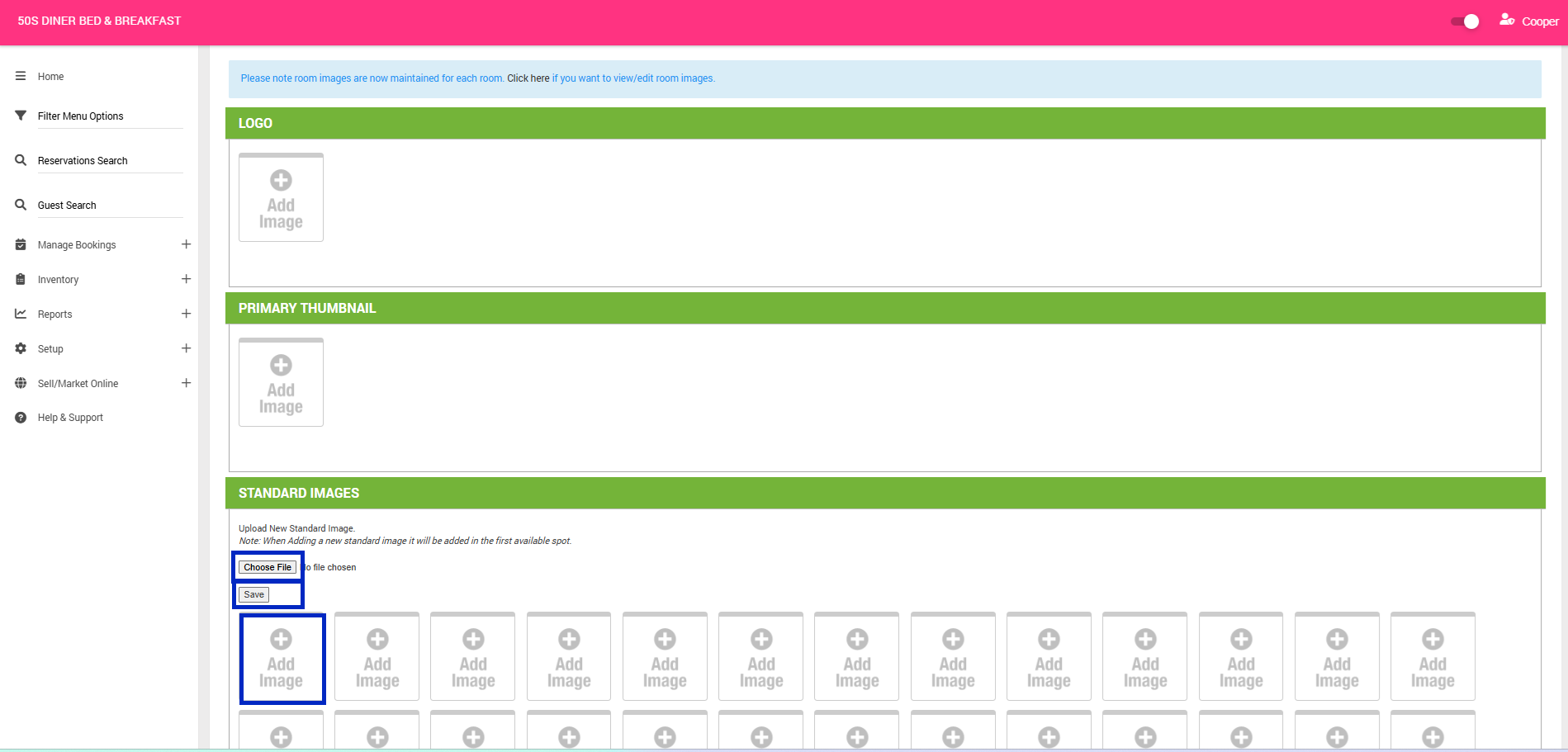
- Continue the process until all of your desired Property Images are loaded.
Primary Thumbnail Image
The primary thumbnail is the main image displayed for your property in Marketplace search results. This is the first image customers see when comparing multiple properties, so it plays an important role in attracting attention and driving clicks. Keeping this image high-quality and visually appealing can help your property stand out from competitors.
To Add Primary Thumbnail
- Navigate to the menu on the top left hand corner
- Click Setup > Add/ Edit Property
- Scroll to Primary Thumbnail section > Click + Add Image
- A prompt will appear on your screen. Click Choose File > Select image from your computer
- Click Save