This guide explains how to configure and manage your property details in Bookeasy.
Your property details play an important role in the online booking experience. Some of this information is displayed to guests through your Book Australia Marketplace listings, helping them understand your property's facilities, services and booking conditions before making a reservation. Other settings influence how your accommodation products and reservations are managed within Bookeasy.
Keeping this information accurate and up to date ensures guests receive the correct information.
Accessing Your Property Details
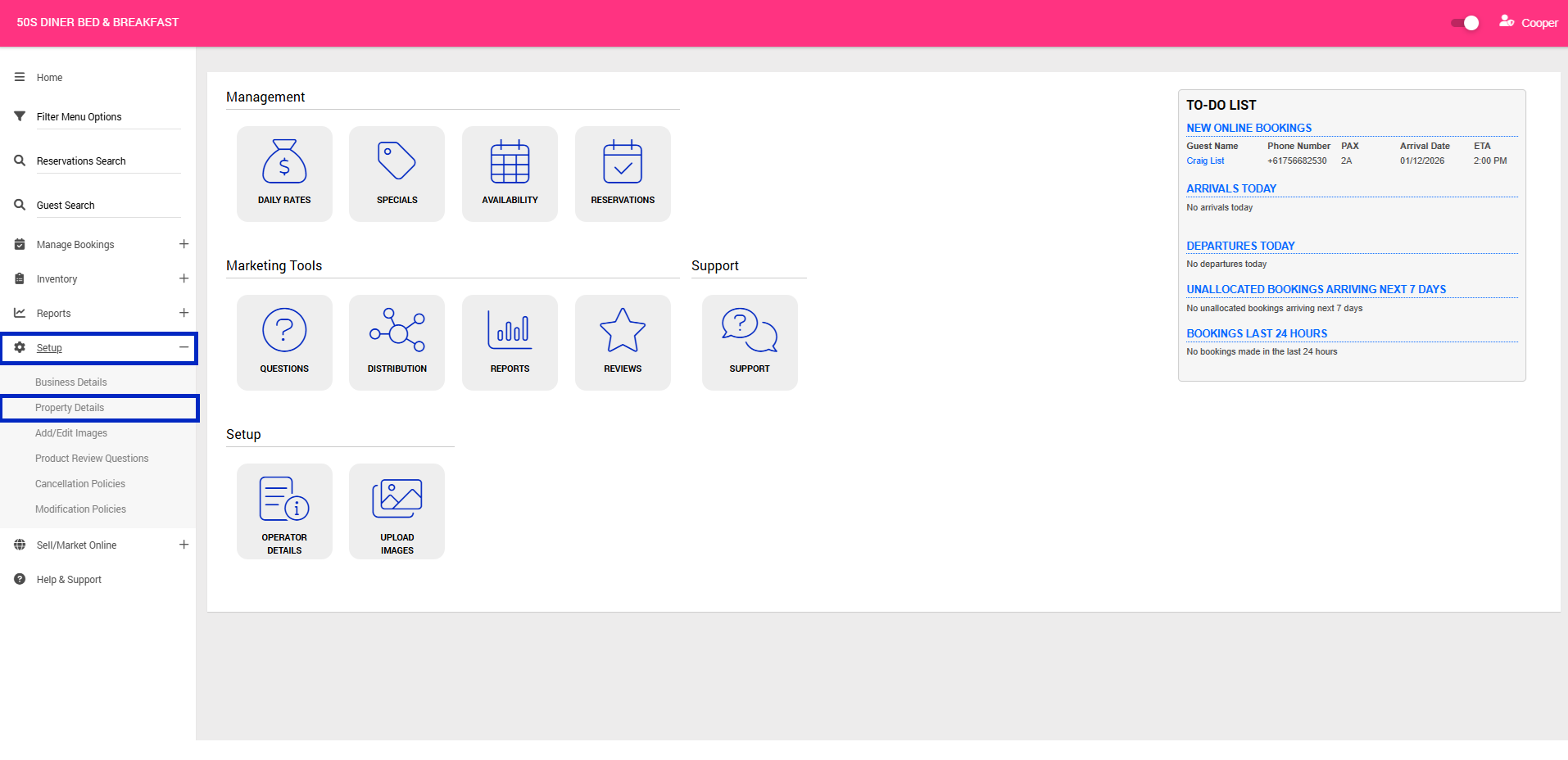
1. From your Operator Console, open the left-hand navigation menu (three horizontal lines in the top-left corner).
2. Navigate to Setup > Property Details
3. Complete the following fields as applicable:
Note: Only fields relevant to your listing have been included below. Fields that are not applicable or required have been omitted.
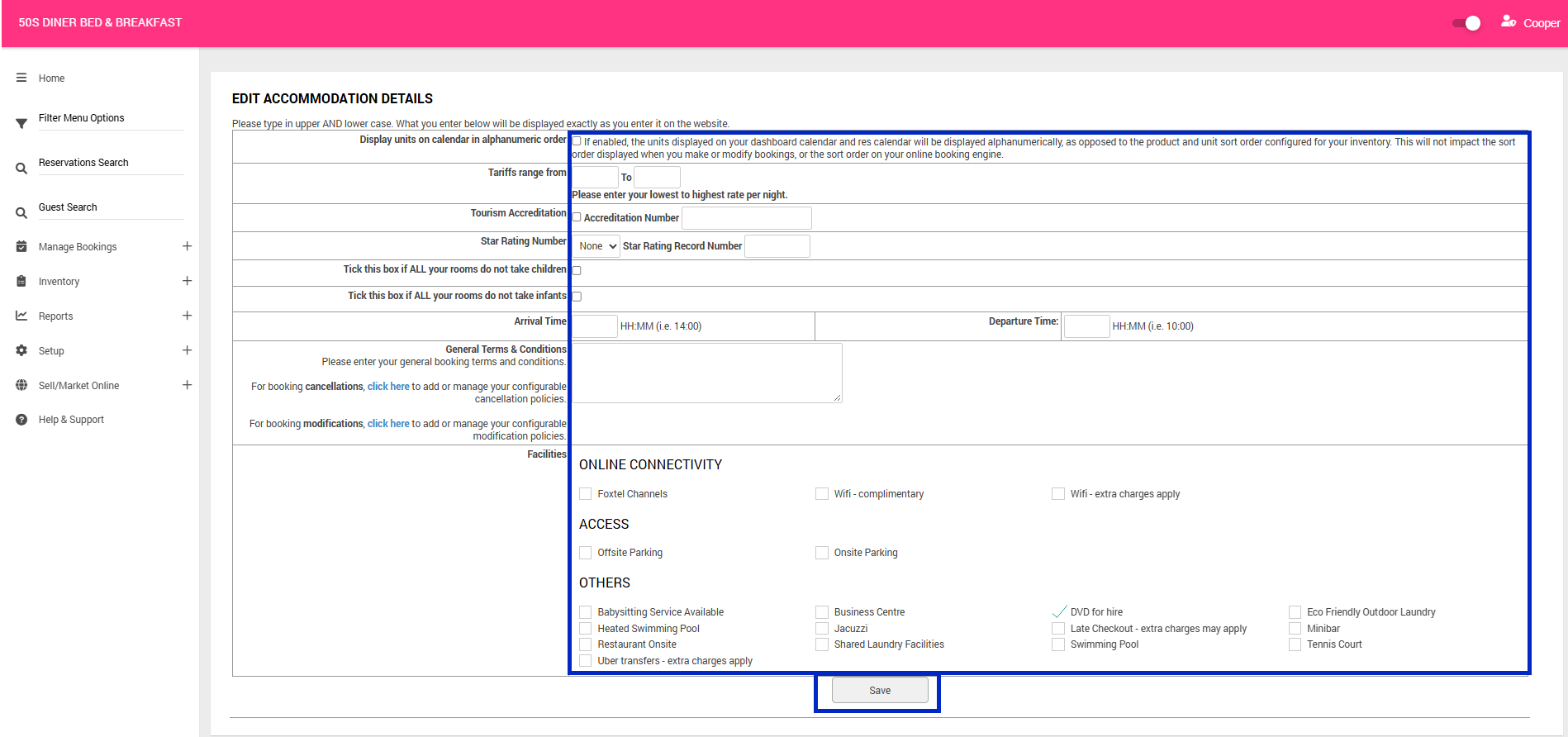
- Arrival Time: Enter your property's check-in time in 24-hour format (e.g. 14:00).
- Departure Time: Enter your property's check-out time in 24-hour format (e.g. 10:00).
- General Terms & Conditions: Enter your business's booking terms and conditions, including cancellation and modification information. This information will be displayed to customers for review and acceptance when making a booking.
Important: This field is for static text only. Adding cancellation and modification terms here does not configure the policies used by Bookeasy for the Self-Service Portal or booking management. Please contact your Onboarding Consultant to configure your cancellation and modification policies separately to ensure they are correctly applied within the system.
- Facilities: Tick all facilities and services available at your property, including Wi-Fi, parking, swimming pools, laundry facilities and other amenities.
4. Once you have completed your changes, click Save.