When a booking contains a tokenised credit card, you can securely charge the card directly through ResOnline using your connected Bookeasy Pay gateway or other supported gateway.
The guest's full credit card details are not displayed or accessible. Instead, the securely stored token is used to process the payment.
Important: Tokenised card details remain available for charging for 7 days after the guest's check-out date. After this period, the token will no longer be available to process a payment.
Find the Booking
1. Log in to ResOnline.
2. From the dashboard, click the Reports tab.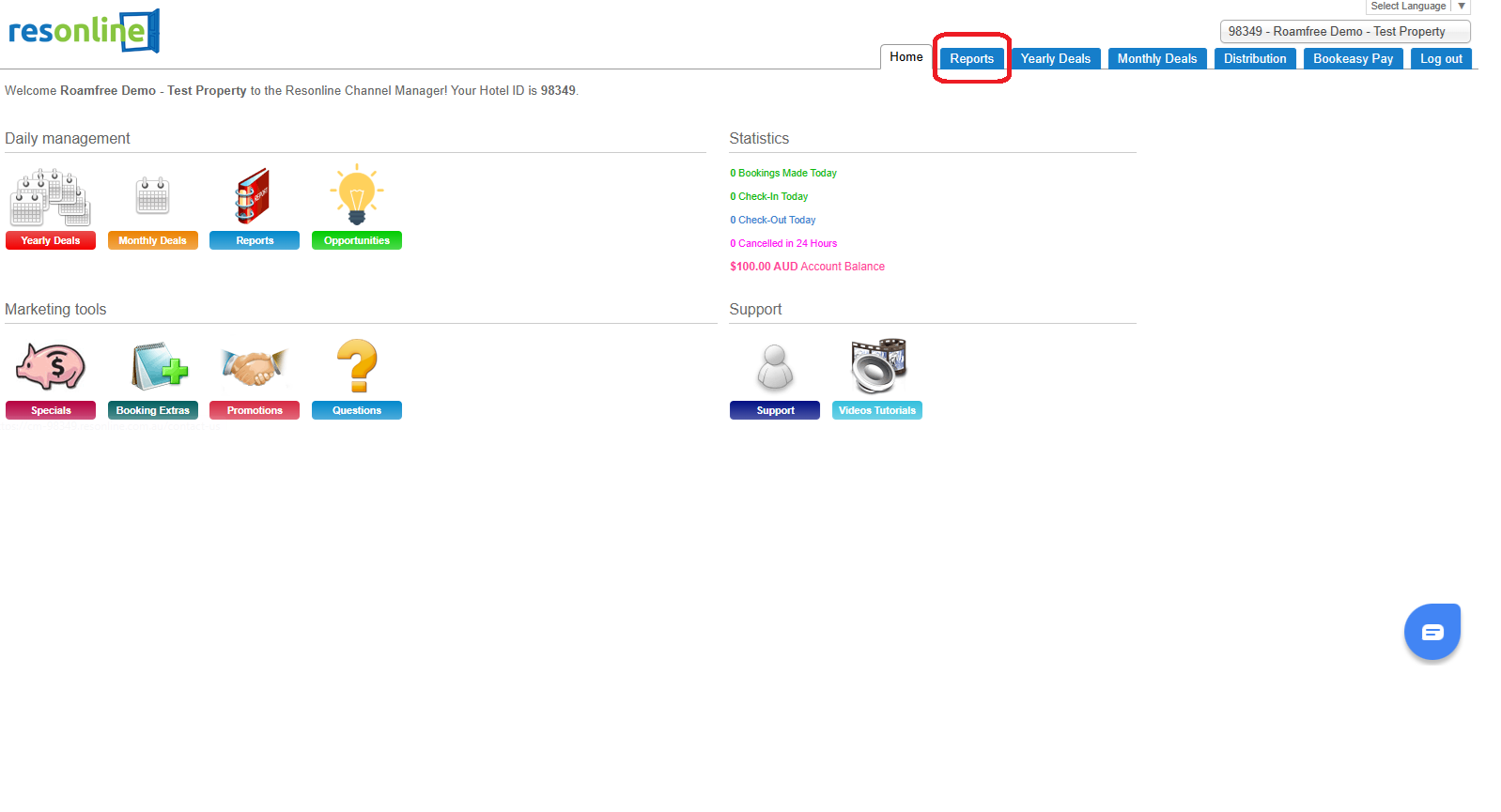
3. Use the Booking List filters to locate the booking you would like to charge.
4. Click Run Report.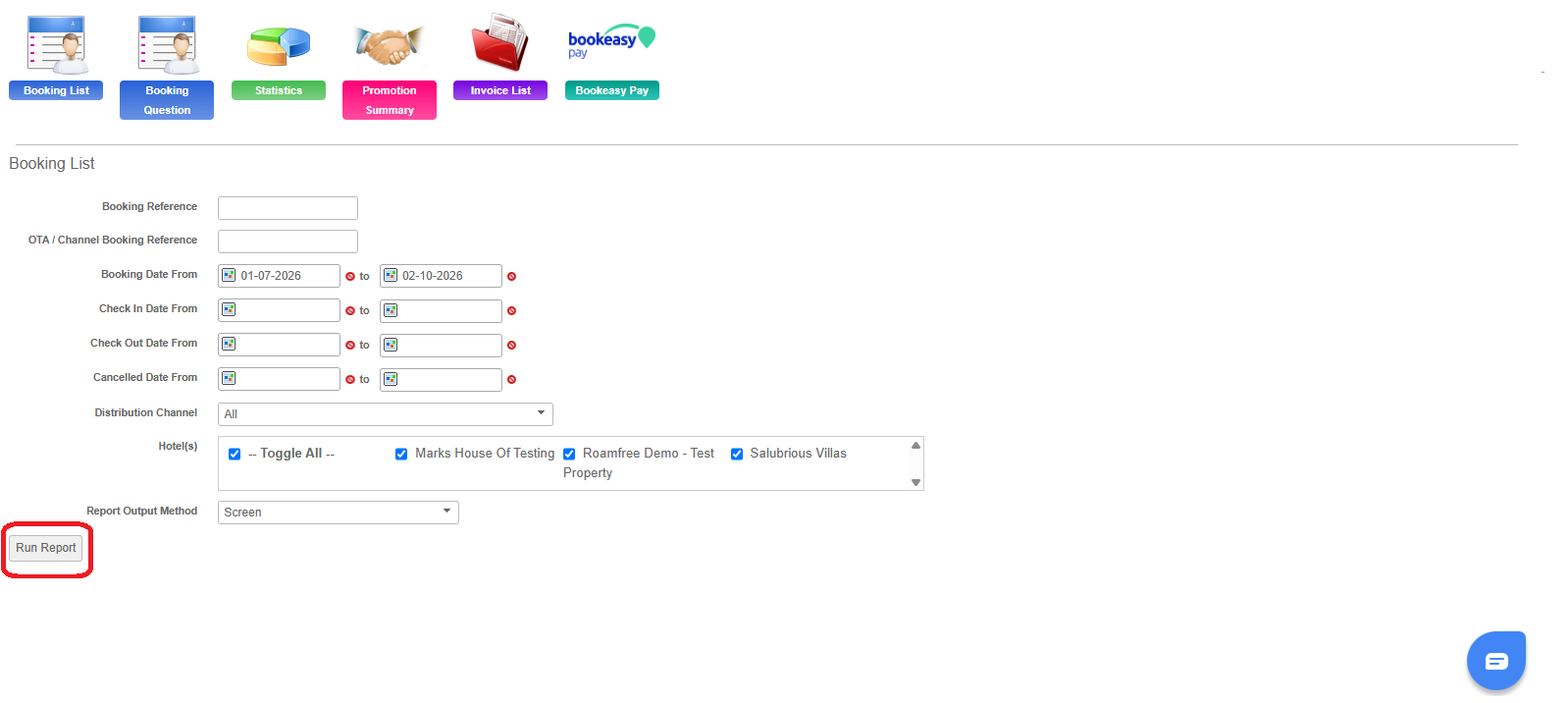
5. Locate the booking and click the Booking Ref number to open and review the booking.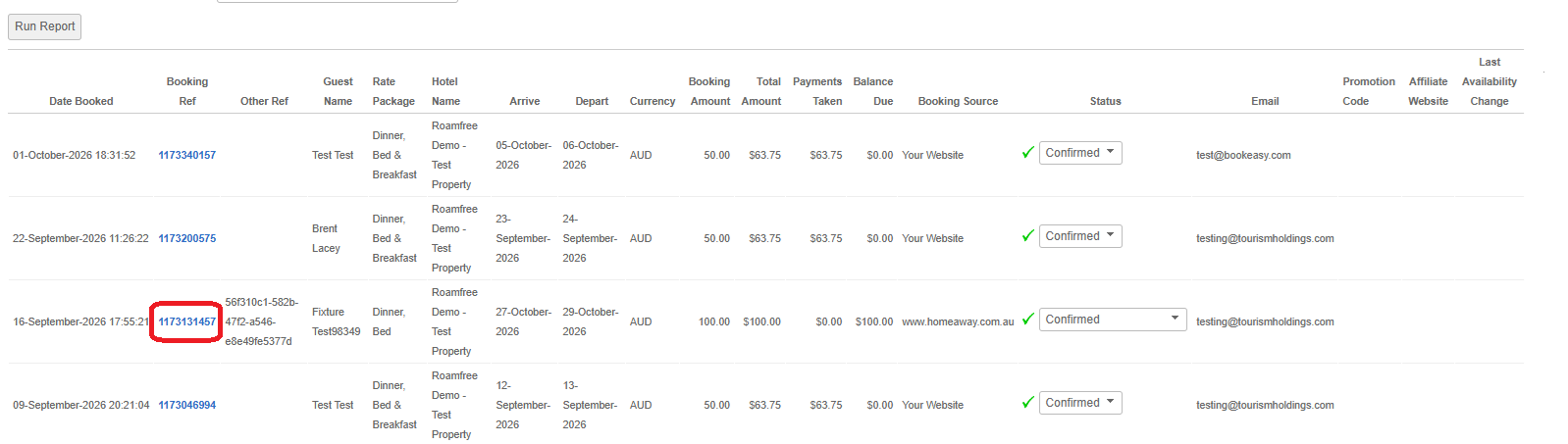
Charge the Card
On the right-hand side of the booking, underneath the Guest Details, you will find the Bookeasy Pay section.
1. Review the payment information displayed.
2. Check the amount shown in the Amount to Charge field and update this if required.
3. Once you are happy with the amount, click Charge Now.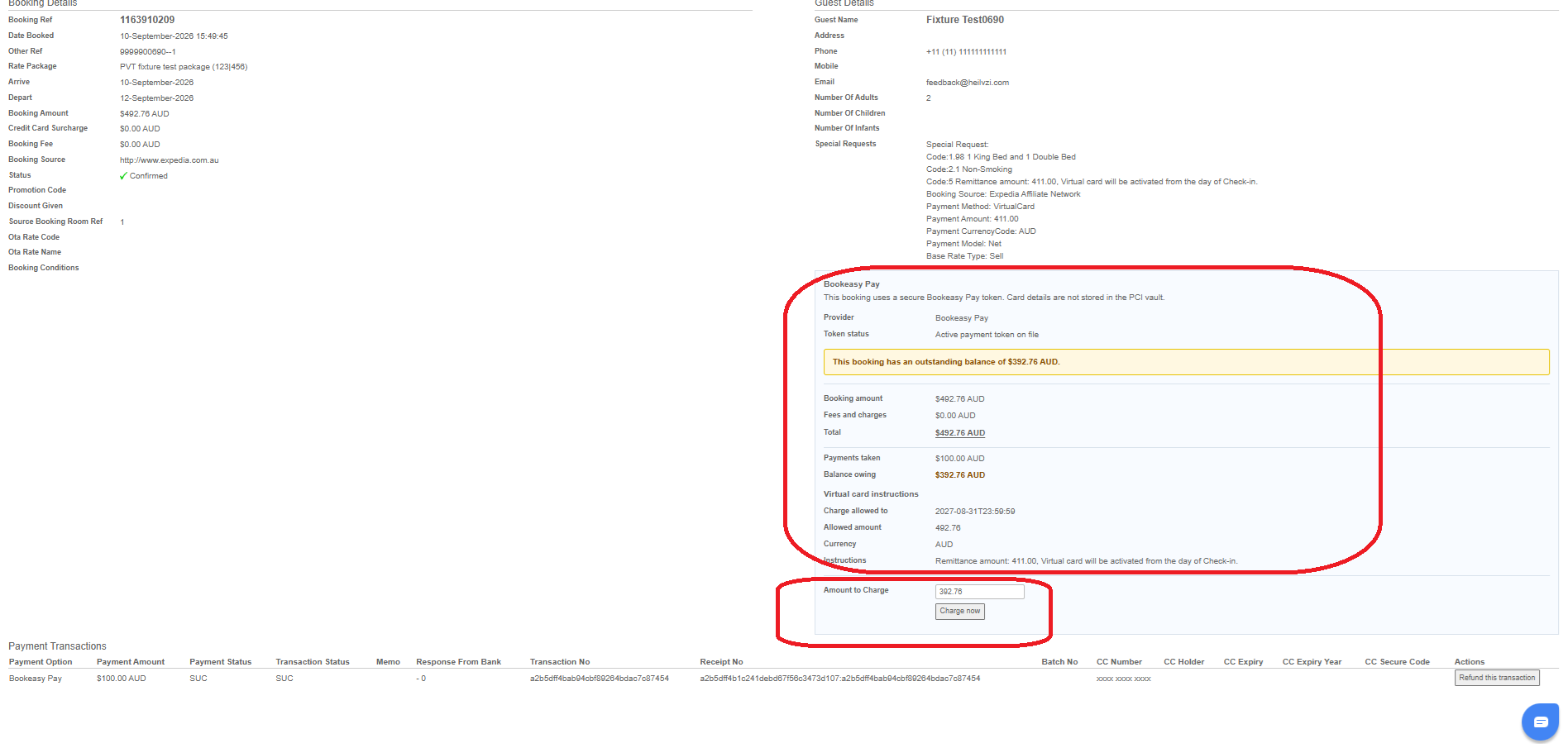 4. The payment will then be processed securely through Bookeasy Pay.
Confirm the Payment Was Successful
Once the payment has been processed, scroll to the Payment Transactions section at the bottom of the booking.
If the payment was successful, a Receipt No. will be displayed against the transaction.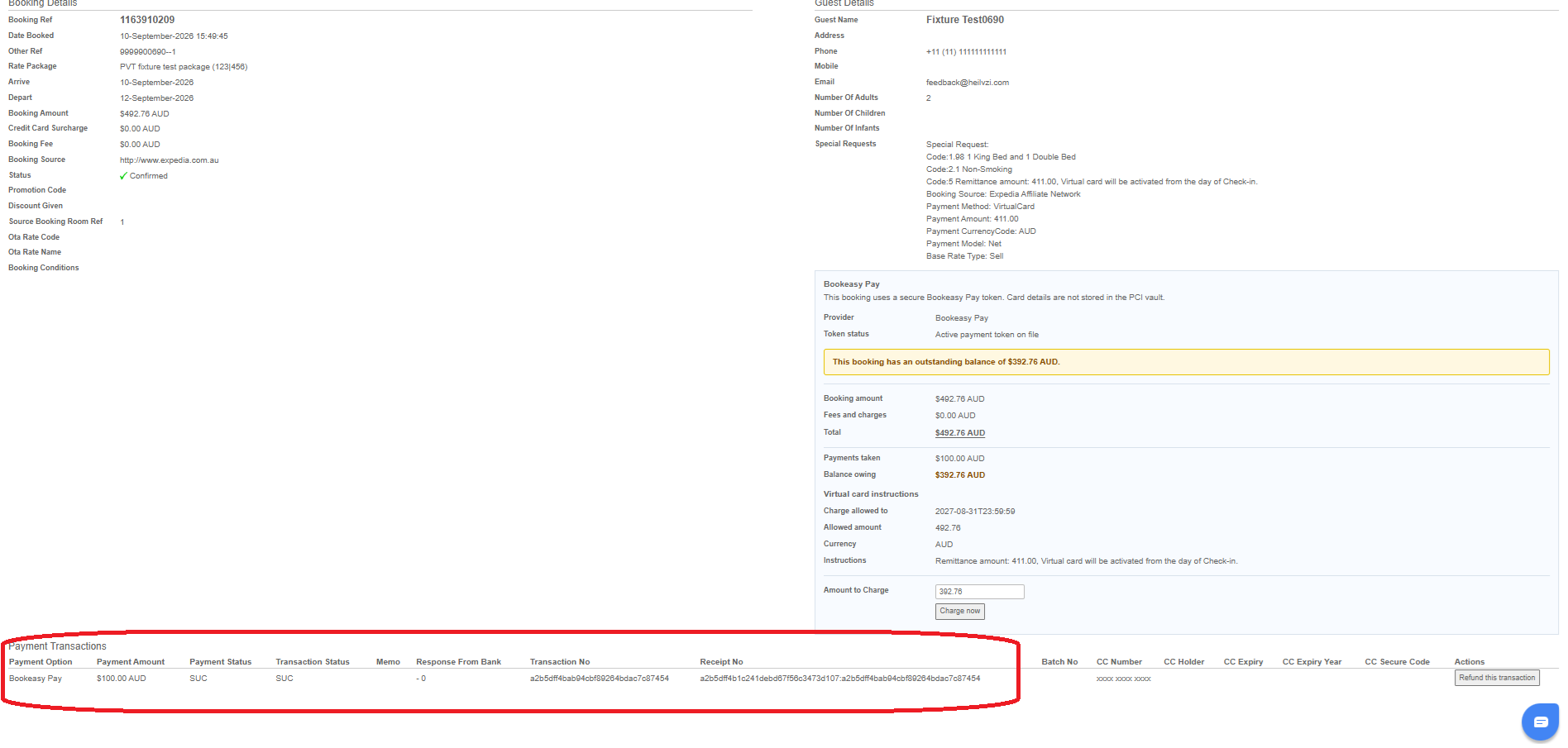
We recommend confirming the transaction has been successful before considering the payment complete.